How to count down to seeing your long-distance partner (on both iPhones)
To count down to your next reunion on both iPhones, you need an app that links the two phones to one shared date. With Lovers Countdown, one of you creates a countdown, the other joins with a six-digit code, and from then on both iPhones show the same number in the app, in a Home Screen widget, on the Lock Screen and in StandBy. You both need an iPhone, and there is no account to create.
Why a normal countdown app is not enough
Most countdown apps live on one phone. You type in the date, your partner types it in again on their phone, and the day one of you changes the flight, the two countdowns stop matching. For a couple apart, the point is to watch the same number get smaller together. That only works if both phones read the date from the same place.
We built Lovers Countdown for our own long-distance relationship, because we wanted to wake up to the same number.
What you need
- Two iPhones with iOS 16.4 or later (StandBy needs iOS 17).
- Lovers Countdown on both phones.
- The date and time you will see each other. The time matters: the countdown ends at that minute, for example when the train pulls in or the plane lands.
Step by step
1. Install the app on both iPhones
Lovers Countdown is on the App Store for iPhone. Your partner needs it too. There is no Android version at the moment.
2. One of you creates the countdown
Open the app and create a space. You get a six-digit code and can send the invite straight from the app, for example in your usual chat.
3. The other one enters the code
Your partner opens the app, taps to enter a code and types in the six digits. That is all. No email address, no phone number, no password. A code works for 7 days. If it expired, tap “New code” on the countdown and send the new one.
4. Set the date and time of your reunion
Spin the wheels to the day and the minute you meet. Both phones now count down to that exact moment. If one of you changes the date later, the other phone picks it up within a few seconds when the app is open there, otherwise the next time it is opened.
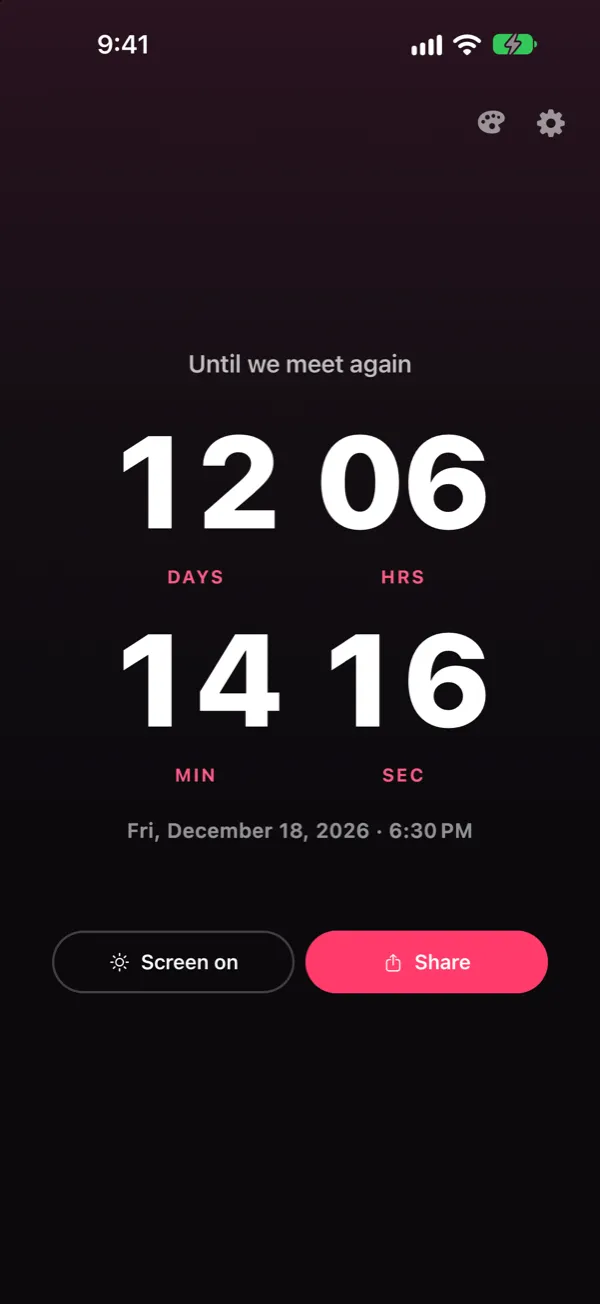
5. Put the countdown where you look
- Home Screen: add the Lovers Countdown widget in small or medium size.
- Lock Screen: add the circular, rectangular or inline widget. See our guide to the Lock Screen widget.
- StandBy: put your iPhone on the charger on its side, lock it, swipe to the widget view and add Lovers Countdown. At night the number stays next to the bed.
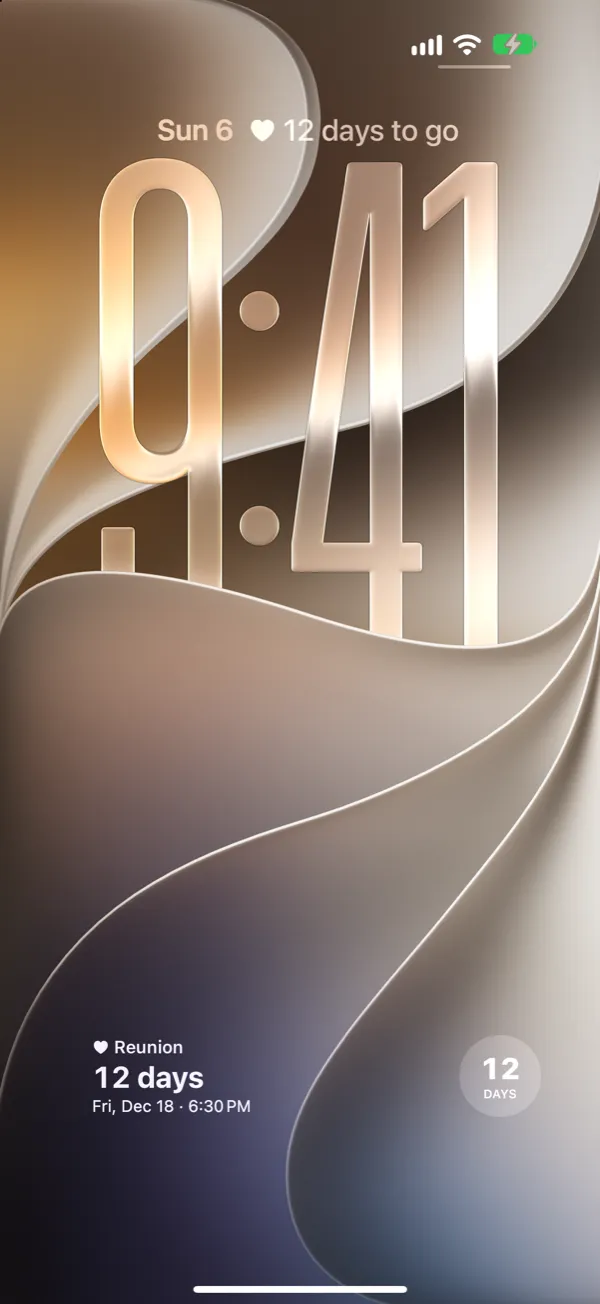
6. Watch the last day tick
The widgets show days until the final 24 hours. Then they switch to a running clock in hours, minutes and seconds, on the Home Screen and on the Lock Screen.
What it costs
From the moment you pair, you both get a 7-day trial with the countdown, the widgets and the Midnight style. You enter no payment details and nothing renews by itself. If you see each other before the 7 days are up, the trial ends with your reunion.
After that, your countdown keeps running, but the app and the widgets only show it again once one of you buys Plus. One purchase covers both phones. In the US, Plus is $29.99 once or $14.99 a year. In the euro zone it is €29.99 once or €14.99 a year, in the UK £29.99 or £14.99. The App Store shows the price for your country. Plus also lets you set the next date after every reunion and adds six more styles, including one with your own photo behind the number.
Good to know
- Time zones: the countdown points at one moment. If you live in different time zones, both phones still show the same time left. Each phone shows the date and clock time in its own zone.
- Privacy: the server keeps your date and random device IDs. There is no account, no name and no phone number. A photo you pick for your own style stays on your phone and is never uploaded.
- Leaving: tap “Leave space” in the settings. When the last of you leaves, the space is deleted with your date, codes and share link.
FAQ
Do we both need an iPhone?
Yes. Lovers Countdown is only available for iPhone at the moment, and both of you need the app.
Do we need an account to share a countdown?
No. You connect the two phones with a six-digit code. There is no email address, phone number or password.
What happens if one of us changes the date?
The other phone picks up the new date within a few seconds if the app is open there, otherwise the next time it is opened. From then on its widget shows the new date too.
Does the countdown work across time zones?
Yes. Both phones count down to the same moment, so the time left is identical. Each phone shows the date and time in its own time zone.
How much does it cost?
You both get a 7-day trial from the moment you pair, without payment details. After that you need Plus: $29.99 once or $14.99 a year in the US (€29.99 or €14.99 in the euro zone), and one purchase covers both of you.
Download Lovers Countdown for iPhone

For iPhone with iOS 16.4 or later. A 7-day trial for both of you, then Plus.